New Feature
Find Influencers by Location + Radius
Discover creators in specific areas: set a radius, and apply filters (platform, category, budget, audience size, and more).
Build location-perfect shortlists in minutes.
New Feature
Discover creators in specific areas: set a radius, and apply filters (platform, category, budget, audience size, and more).
Build location-perfect shortlists in minutes.
Trusted by South African teams running influencer campaigns with creators on Lit.


Our creators are distributed across South Africa giving brands access to talent in virtually any location.
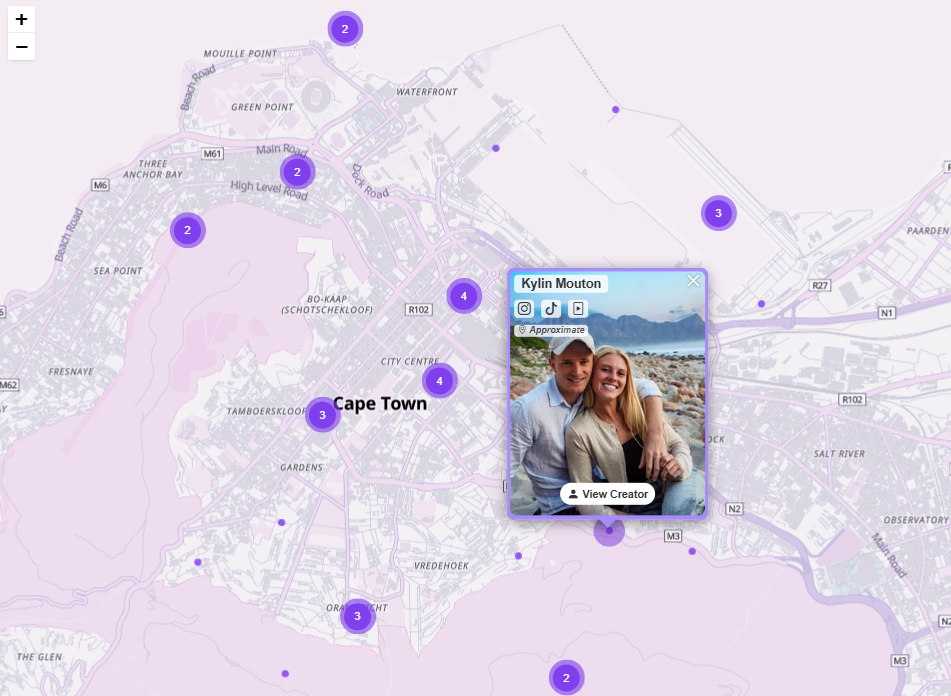
Each white dot represents an influencer or cluster of influencers.
Creator Map is a discovery layer on top of Lit's creator database. Instead of scrolling endless lists, you can visually explore creators on a map, search specific areas, and filter down to the exact creators you need.
Discover creators where your campaign actually runs - suburbs, cities, or near retail locations.
Set a radius around a point to find creators within delivery distance, store catchment areas, or event venues.
Apply filters (platform, category, audience size, rates, demographics, UGC, etc.) and save shortlists for approvals.
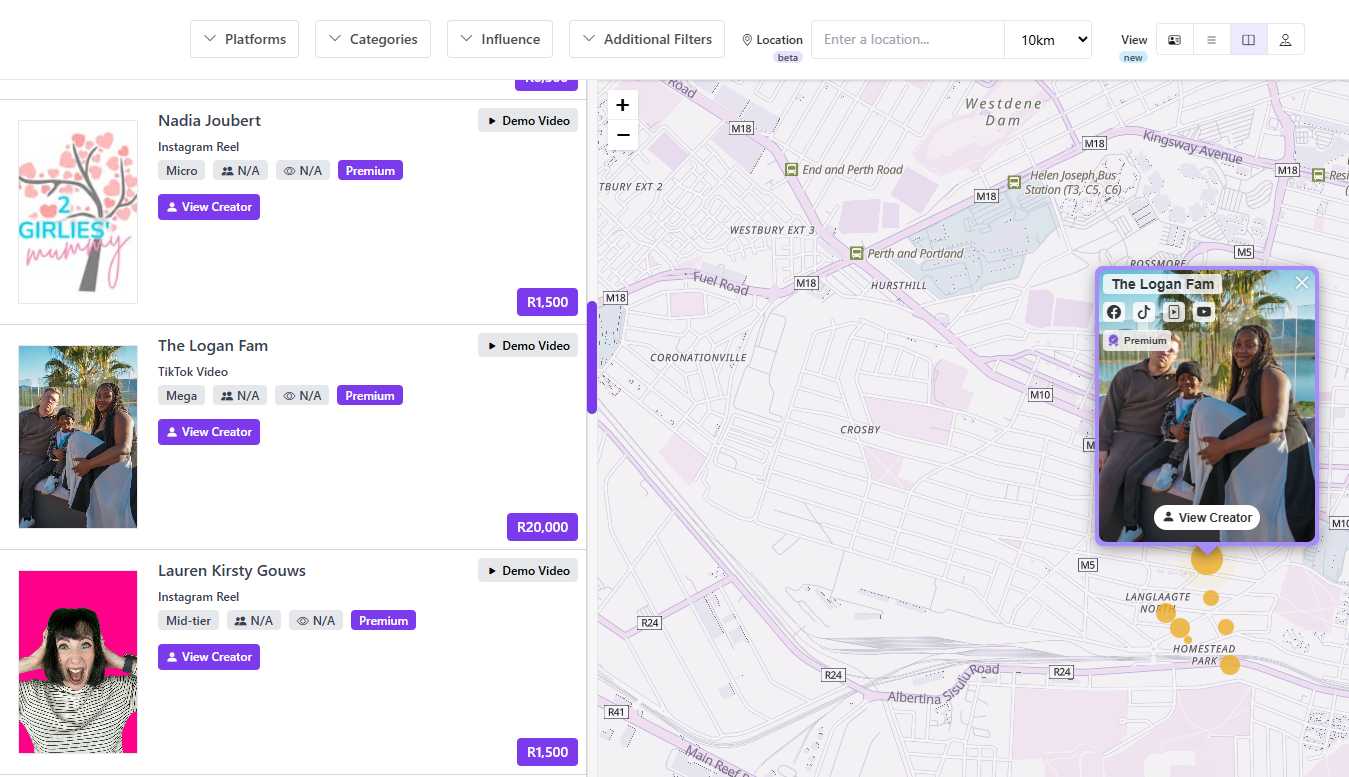
Map discovery works alongside your existing filters and creator profiles — location becomes a first-class signal.
Search a location, set your radius, apply filters, then save a shortlist — built for fast discovery and quick approvals.
Search a city or suburb, drop a pin, or move the map to the area where you need creators.
Define your coverage (e.g., 10km / 25km / 50km) then refine by platform, category, rates, and more.
Shortlist creators for approvals, share internally or with clients, then invite creators to your campaign.
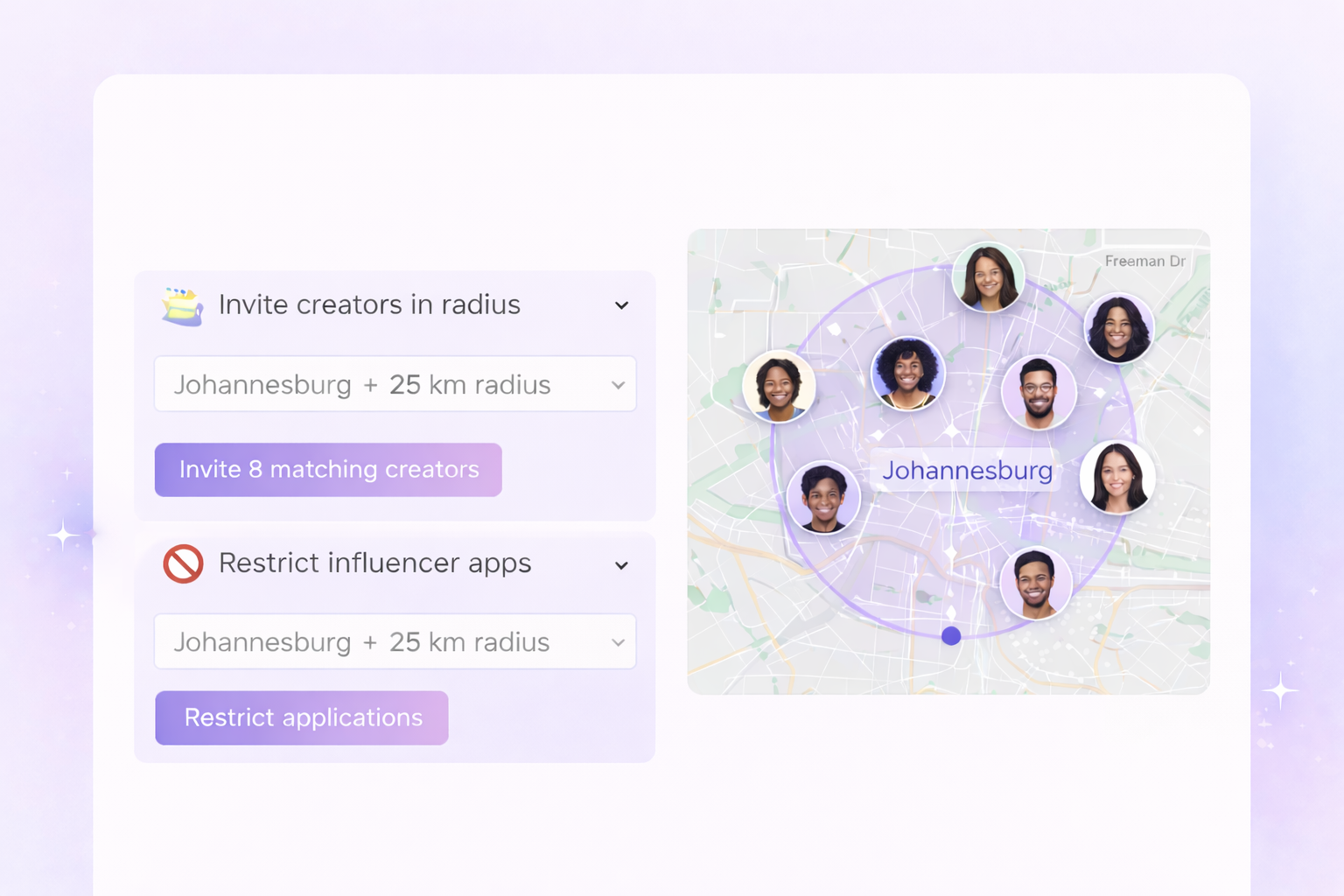
Running a local campaign? Lit lets you target creators by area and radius directly from your campaign setup. Auto-invite creators near a store, event, or delivery zone or restrict applications so only influencers inside your selected radius can apply.
Invite instantly: notify relevant nearby creators in one click.
Filter applicants: keep your campaign local by limiting who can apply.
Save time: fewer irrelevant applications, faster approvals, better fit.
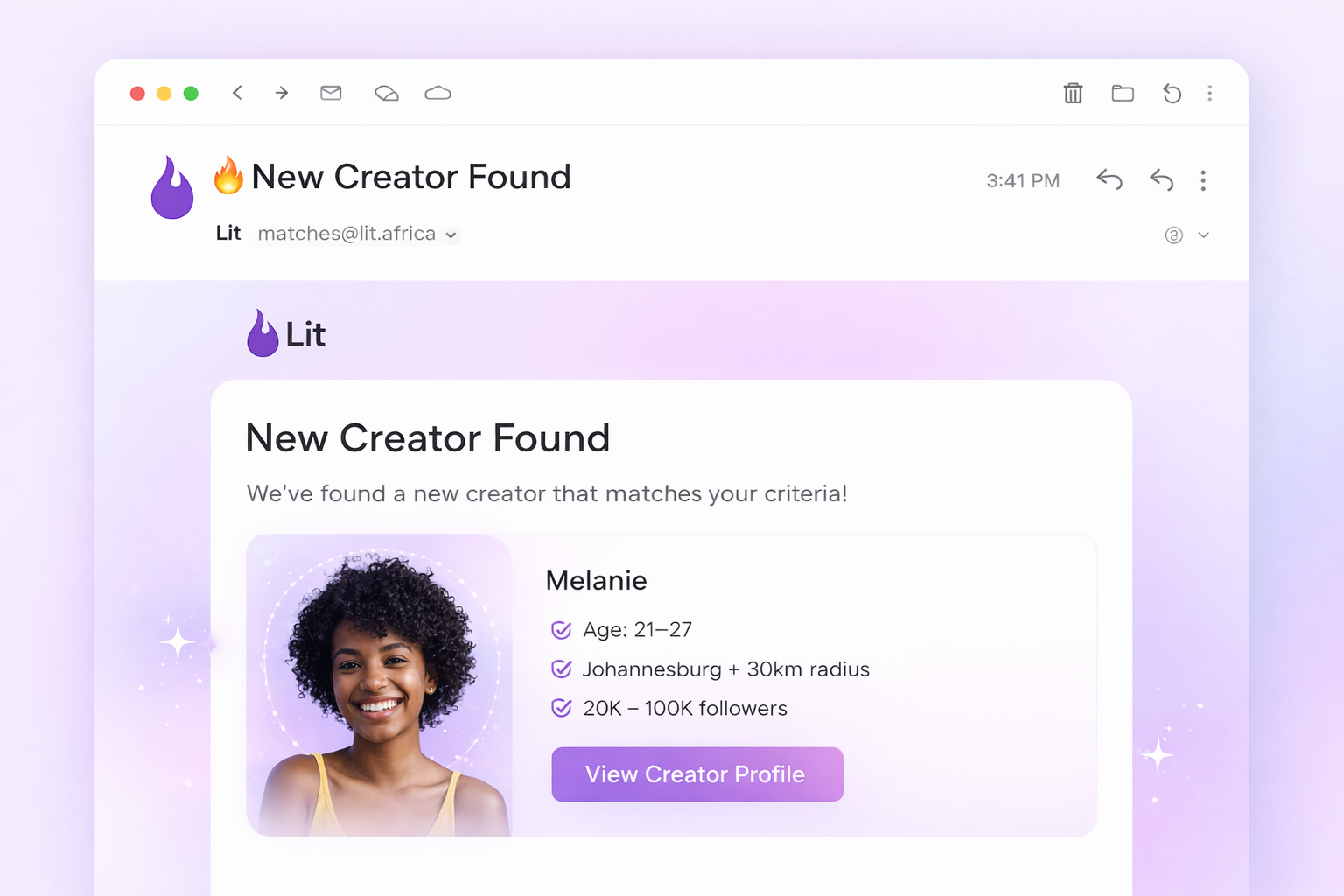
Never miss the right creator again. Set your criteria once - location, creator size, age range, categories and more - and Lit will notify you when new influencers join that match. You stay ahead of the curve and reach creators before they're oversubscribed.
Always-on sourcing: build your creator bench automatically.
Hyper-specific criteria: match by size, age, location radius, platform, and more.
Faster launch: new campaigns go live with a ready-to-invite shortlist.
Got Questions?
The Creator Map lets you visually discover influencers based on location. Instead of scrolling lists, you can search an area, set a radius, and instantly see creators nearby. From there, you can apply filters (platform, creator size, budget, etc.), view profiles, save shortlists, or invite creators directly to campaigns.
It's built to make local and location-specific campaigns fast and intuitive.
Creators set their location directly on Lit using a map-based pin. For privacy, we don't display exact addresses. Locations are shown within a small radius (typically a few hundred meters). This keeps creators safe while still allowing brands to reliably find creators in the right areas.
Yes.
When creating a campaign, you can:
This is perfect for store visits, events, deliveries, or any campaign where physical proximity matters.
You can layer location with your existing Lit filters, including:
This means you're not just finding creators nearby. You're finding the right creators nearby.
Creator Alerts notify you when new influencers join Lit that match your saved criteria.
You define what you're looking for (location, creator size, age range, categories, etc.), and Lit automatically alerts you when a new creator fits that profile so you never miss emerging talent.
Creator Alerts run continuously in the background. As soon as a new creator signs up and matches your criteria, you'll be notified. This gives you early access to fresh creators before they become oversubscribed.
Yes.
You can save shortlists and reuse them across campaigns — for example:
This makes repeat campaigns faster and helps you build a reusable creator bench over time.
Both. While the Creator Map shines for local campaigns, you can also zoom out and search across wider regions or the entire country. Many brands use it alongside list-based discovery to combine geographic insight with broader sourcing.
Yes. Once you've filtered by location and criteria, you can invite matching creators directly into your campaign with a single click - no exporting lists or manual outreach required.
Creators choose to add their location when joining Lit and can update it anytime. Only creators who've set a location appear on the map, and all positioning respects privacy controls.
Stop guessing. Use map + radius discovery to build location-perfect shortlists, faster approvals, and better campaign outcomes.
Telephone: 011 568 0101
WhatsApp: +27 61 502 1137
Email: [email protected]
Address: Amr Office Park, 3 Concorde E Rd, Bedfordview, Germiston, 2008